Cloudflare Gateway now supports OIDC Claims as a selector in Firewall, Resolver, and Egress policies. Administrators can use custom OIDC claims from their identity provider to build fine-grained, identity-based traffic policies across all Gateway policy types.
With this update, you can:
Filter traffic in DNS, HTTP, and Network firewall policies based on OIDC claim values.
Apply custom resolver policies to route DNS queries to specific resolvers depending on a user’s OIDC claims.
Control egress policies to assign dedicated egress IPs based on OIDC claim attributes.
For example, you can create a policy that routes traffic differently for users with department=engineering in their OIDC claims, or restrict access to certain destinations based on a user’s role claim.
To get started, configure custom OIDC claims on your identity provider and use the OIDC Claims selector in the Gateway policy builder.
Dynamic Workers are now in open beta for all paid Workers users. You can now have a Worker spin up other Workers, called Dynamic Workers, at runtime to execute code on-demand in a secure, sandboxed environment. Dynamic Workers start in milliseconds, making them well suited for fast, secure code execution at scale.
Use Dynamic Workers for
Code Mode: LLMs are trained to write code. Run tool-calling logic written in code instead of stepping through many tool calls, which can save up to 80% in inference tokens and cost.
AI agents executing code: Run code for tasks like data analysis, file transformation, API calls, and chained actions.
Running AI-generated code: Run generated code for prototypes, projects, and automations in a secure, isolated sandboxed environment.
Fast development and previews: Load prototypes, previews, and playgrounds in milliseconds.
Custom automations: Create custom tools on the fly that execute a task, call an integration, or automate a workflow.
Executing Dynamic Workers
Dynamic Workers support two loading modes:
load(code) — for one-time code execution (equivalent to calling get() with a null ID).
get(id, callback) — caches a Dynamic Worker by ID so it can stay warm across requests. Use this when the same code will receive subsequent requests.
JavaScript
exportdefault{
asyncfetch(request,env){
constworker=env.LOADER.load({
compatibilityDate:"2026-01-01",
mainModule:"src/index.js",
modules:{
"src/index.js":`
export default {
fetch() {
return new Response("Hello from a dynamic Worker");
},
};
`,
},
// Block all outbound network access from the Dynamic Worker.
return new Response("Hello from a dynamic Worker");
},
};
`,
},
// Block all outbound network access from the Dynamic Worker.
globalOutbound: null,
});
returnworker.getEntrypoint().fetch(request);
},
};
Helper libraries for Dynamic Workers
Here are 3 new libraries to help you build with Dynamic Workers:
@cloudflare/codemode: Replace individual tool calls with a single code() tool, so LLMs write and execute TypeScript that orchestrates multiple API calls in one pass.
@cloudflare/worker-bundler: Resolve npm dependencies and bundle source files into ready-to-load modules for Dynamic Workers, all at runtime.
@cloudflare/shell: Give your agent a virtual filesystem inside a Dynamic Worker with persistent storage backed by SQLite and R2.
Try it out
Dynamic Workers Starter
Use this starter to deploy a Worker that can load and execute Dynamic Workers.
Dynamic Workers Playground
Deploy the Dynamic Workers Playground to write or import code, bundle it at runtime with @cloudflare/worker-bundler, execute it through a Dynamic Worker, and see real-time responses and execution logs.
Dynamic Workers pricing is based on three dimensions: Dynamic Workers created daily, requests, and CPU time.
Included
Additional usage
Dynamic Workers created daily
1,000 unique Dynamic Workers per month
+$0.002 per Dynamic Worker per day
Requests ¹
10 million per month
+$0.30 per million requests
CPU time ¹
30 million CPU milliseconds per month
+$0.02 per million CPU milliseconds
¹ Uses Workers Standard rates and will appear as part of your existing Workers bill, not as separate Dynamic Workers charges.
Note: Dynamic Workers requests and CPU time are already billed as part of your Workers plan and will count toward your Workers requests and CPU usage. The Dynamic Workers created daily charge is not yet active — you will not be billed for the number of Dynamic Workers created at this time. Pricing information is shared in advance so you can estimate future costs.
The latest release of the Agents SDK exposes agent state as a readable property, prevents duplicate schedule rows across Durable Object restarts, brings full TypeScript inference to AgentClient, and migrates to Zod 4.
Readable state on useAgent and AgentClient
Both useAgent (React) and AgentClient (vanilla JS) now expose a state property that reflects the current agent state. Previously, reading state required manually tracking it through the onStateUpdate callback.
React (useAgent)
JavaScript
constagent=useAgent({
agent:"game-agent",
name:"room-123",
});
// Read state directly — no separate useState + onStateUpdate needed
agent.state is reactive — the component re-renders when state changes from either the server or a client-side setState() call.
Vanilla JS (AgentClient)
JavaScript
constclient=newAgentClient({
agent:"game-agent",
name:"room-123",
host:"your-worker.workers.dev",
});
client.setState({ score:100});
console.log(client.state);// { score: 100 }
TypeScript
constclient=newAgentClient<GameAgent>({
agent:"game-agent",
name:"room-123",
host:"your-worker.workers.dev",
});
client.setState({ score:100});
console.log(client.state);// { score: 100 }
State starts as undefined and is populated when the server sends the initial state on connect (from initialState) or when setState() is called. Use optional chaining (agent.state?.field) for safe access. The onStateUpdate callback continues to work as before — the new state property is additive.
Idempotent schedule()
schedule() now supports an idempotent option that deduplicates by (type, callback, payload), preventing duplicate rows from accumulating when called in places that run on every Durable Object restart such as onStart().
Cron schedules are idempotent by default. Calling schedule("0 * * * *", "tick") multiple times with the same callback, expression, and payload returns the existing schedule row instead of creating a new one. Pass { idempotent: false } to override.
Delayed and date-scheduled types support opt-in idempotency:
Calling schedule() inside onStart() without { idempotent: true } emits a console.warn with actionable guidance (once per callback; skipped for cron and when idempotent is set explicitly).
If an alarm cycle processes 10 or more stale one-shot rows for the same callback, the SDK emits a console.warn and a schedule:duplicate_warning diagnostics channel event.
Typed AgentClient with call inference and stub proxy
AgentClient now accepts an optional agent type parameter for full type inference on RPC calls, matching the typed experience already available with useAgent.
JavaScript
constclient=newAgentClient({
agent:"my-agent",
host:window.location.host,
});
// Typed call — method name autocompletes, args and return type inferred
constvalue=awaitclient.call("getValue");
// Typed stub — direct RPC-style proxy
awaitclient.stub.getValue();
awaitclient.stub.add(1,2);
TypeScript
constclient=newAgentClient<MyAgent>({
agent:"my-agent",
host:window.location.host,
});
// Typed call — method name autocompletes, args and return type inferred
constvalue=awaitclient.call("getValue");
// Typed stub — direct RPC-style proxy
awaitclient.stub.getValue();
awaitclient.stub.add(1,2);
State is automatically inferred from the agent type, so onStateUpdate is also typed:
JavaScript
constclient=newAgentClient({
agent:"my-agent",
host:window.location.host,
onStateUpdate:(state)=>{
// state is typed as MyAgent's state type
},
});
TypeScript
constclient=newAgentClient<MyAgent>({
agent:"my-agent",
host:window.location.host,
onStateUpdate:(state)=>{
// state is typed as MyAgent's state type
},
});
Existing untyped usage continues to work without changes. The RPC type utilities (AgentMethods, AgentStub, RPCMethods) are now exported from agents/client for advanced typing scenarios. agents, @cloudflare/ai-chat, and @cloudflare/codemode now require zod ^4.0.0. Zod v3 is no longer supported.
@cloudflare/ai-chat fixes
Turn serialization — onChatMessage() and _reply() work is now queued so user requests, tool continuations, and saveMessages() never stream concurrently.
Duplicate messages on stop — Clicking stop during an active stream no longer splits the assistant message into two entries.
Duplicate messages after tool calls — Orphaned client IDs no longer leak into persistent storage.
keepAlive() and keepAliveWhile() are no longer experimental
keepAlive() now uses a lightweight in-memory ref count instead of schedule rows. Multiple concurrent callers share a single alarm cycle. The @experimental tag has been removed from both keepAlive() and keepAliveWhile().
@cloudflare/codemode: TanStack AI integration
A new entry point @cloudflare/codemode/tanstack-ai adds support for TanStack AI’schat() as an alternative to the Vercel AI SDK’s streamText():
Select your instance, and turn on Public Endpoint in Settings.
For more details, refer to Public endpoint configuration.
UI snippets
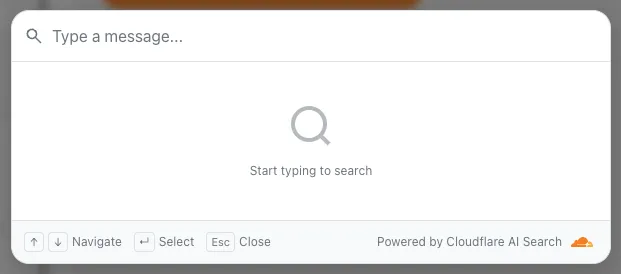
UI snippets are pre-built search and chat components you can embed in your website. Visit search.ai.cloudflare.com to configure and preview components for your AI Search instance.
AI Search now offers new REST API endpoints for search and chat that use an OpenAI compatible format. This means you can use the familiar messages array structure that works with existing OpenAI SDKs and tools. The messages array also lets you pass previous messages within a session, so the model can maintain context across multiple turns.
Endpoint
Path
Chat Completions
POST /accounts/{account_id}/ai-search/instances/{name}/chat/completions
Search
POST /accounts/{account_id}/ai-search/instances/{name}/search
Here is an example request to the Chat Completions endpoint using the new messages array format:
If you are using the previous AutoRAG API endpoints (/autorag/rags/), we recommend migrating to the new endpoints. The previous AutoRAG API endpoints will continue to be fully supported.
DNS Analytics is now available for customers with Customer Metadata Boundary (CMB) set to EU. Query your DNS analytics data while keeping metadata stored in the EU region.
This update includes:
DNS Analytics — Access the same DNS analytics experience for zones in CMB=EU accounts.
EU data residency — Analytics data is stored and queried from the EU region, meeting data localization requirements.
DNS Firewall Analytics — DNS Firewall analytics is now supported for CMB=EU customers.
Availability
Available to customers with the Data Localization Suite who have Customer Metadata Boundary configured for the EU region.
Where to find it
Authoritative DNS: In the Cloudflare dashboard, select your zone and go to the Analytics page.

In the Cloudflare One dashboard, the overview page for a specific Cloudflare Tunnel now shows all replicas of that tunnel and supports streaming logs from multiple replicas at once.
Previously, you could only stream logs from one replica at a time. With this update:
Replicas on the tunnel overview — All active replicas for the selected tunnel now appear on that tunnel’s overview page under Connectors. Select any replica to stream its logs.
Multi-connector log streaming — Stream logs from multiple replicas simultaneously, making it easier to correlate events across your infrastructure during debugging or incident response. To try it out, log in to Cloudflare One and go to Networks > Connectors > Cloudflare Tunnels. Select View logs next to the tunnel you want to monitor.
In the Cloudflare One dashboard, the overview page for a specific Cloudflare Tunnel now shows all replicas of that tunnel and supports streaming logs from multiple replicas at once.
Previously, you could only stream logs from one replica at a time. With this update:
Replicas on the tunnel overview — All active replicas for the selected tunnel now appear on that tunnel’s overview page under Connectors. Select any replica to stream its logs.
Multi-connector log streaming — Stream logs from multiple replicas simultaneously, making it easier to correlate events across your infrastructure during debugging or incident response. To try it out, log in to Cloudflare One and go to Networks > Connectors > Cloudflare Tunnels. Select View logs next to the tunnel you want to monitor.
DNS Analytics is now available for customers with Customer Metadata Boundary (CMB) set to EU. Query your DNS analytics data while keeping metadata stored in the EU region.
This update includes:
DNS Analytics — Access the same DNS analytics experience for zones in CMB=EU accounts.
EU data residency — Analytics data is stored and queried from the EU region, meeting data localization requirements.
DNS Firewall Analytics — DNS Firewall analytics is now supported for CMB=EU customers.
Availability
Available to customers with the Data Localization Suite who have Customer Metadata Boundary configured for the EU region.
Where to find it
Authoritative DNS: In the Cloudflare dashboard, select your zone and go to the Analytics page.