Author: guillaume

  • Zero Trust WARP Client – WARP client for Windows (version 2026.3.566.1)

    A new Beta release for the Windows WARP client is now available on the beta releases downloads page.

    This release contains minor fixes and introduces a brand new visual style for the client interface. The new Cloudflare One Client interface changes connectivity management from a toggle to a button and brings useful connectivity settings to the home screen. The redesign also introduces a collapsible navigation bar. When expanded, more client information can be accessed including connectivity, settings, and device profile information. If you have any feedback or questions, visit the Cloudflare Community forum and let us know.

    Changes and improvements

    • Consumer-only CLI commands are now clearly distinguished from Zero Trust commands.
    • Added detailed QUIC connection metrics to diagnostic logs for better troubleshooting.
    • Added monitoring for tunnel statistics collection timeouts.
    • Switched tunnel congestion control algorithm to Cubic for improved reliability across platforms.
    • Fixed packet capture failing on tunnel interface when the tunnel interface is renamed by SCCM VPN boundary support.
    • Fixed unnecessary registration deletion caused by RDP connections in multi-user mode.
    • Fixed increased tunnel interface start-up time due to a race between duplicate address detection (DAD) and disabling NetBT.
    • Fixed tunnel failing to connect when the system DNS search list contains unexpected characters.
    • Empty MDM files are now rejected instead of being incorrectly accepted as a single MDM config.
    • Fixed an issue in proxy mode where the client could become unresponsive due to upstream connection timeouts.
    • Fixed emergency disconnect state from a previous organization incorrectly persisting after switching organizations.
    • Fixed initiating managed network detection checks when no network is available, which caused device profile flapping.

    Known issues

    • The client may unexpectedly terminate during captive portal login. To work around this issue, use a web browser to authenticate with the captive portal and then re-launch the client.
    • An error indicating that Microsoft Edge can’t read and write to its data directory may be displayed during captive portal login; this error is benign and can be dismissed.
    • The client may become stuck in a Connecting state. To resolve this issue, reconnect the client by selecting Disconnect and then Connect in the client user interface. Alternatively, change the client’s operation mode.
    • The client may display an empty white screen upon the device waking from sleep. To resolve this issue, exit and then open the client to re-launch it.
    • Canceling login during a single MDM configuration setup results in an empty page with no way to resume authentication. To work around this issue, exit and relaunch the client.
    • For Windows 11 24H2 users, Microsoft has confirmed a regression that may lead to performance issues like mouse lag, audio cracking, or other slowdowns. Cloudflare recommends users experiencing these issues upgrade to a minimum Windows 11 24H2 version KB5062553 or higher for resolution.
    • Devices with KB5055523 installed may receive a warning about Win32/ClickFix.ABA being present in the installer. To resolve this false positive, update Microsoft Security Intelligence to version 1.429.19.0 or later. This warning will be omitted from future release notes. This Microsoft Security Intelligence update was released in May 2025.
    • DNS resolution may be broken when the following conditions are all true:
      • The client is in Secure Web Gateway without DNS filtering (tunnel-only) mode.
      • A custom DNS server address is configured on the primary network adapter.
      • The custom DNS server address on the primary network adapter is changed while the client is connected.
        To work around this issue, reconnect the client by selecting Disconnect and then Connect in the client user interface.
  • Zero Trust WARP Client – WARP client for Windows (version 2026.3.566.1)

    A new Beta release for the Windows WARP client is now available on the beta releases downloads page.

    This release contains minor fixes and introduces a brand new visual style for the client interface. The new Cloudflare One Client interface changes connectivity management from a toggle to a button and brings useful connectivity settings to the home screen. The redesign also introduces a collapsible navigation bar. When expanded, more client information can be accessed including connectivity, settings, and device profile information. If you have any feedback or questions, visit the Cloudflare Community forum and let us know.

    Changes and improvements

    • Consumer-only CLI commands are now clearly distinguished from Zero Trust commands.
    • Added detailed QUIC connection metrics to diagnostic logs for better troubleshooting.
    • Added monitoring for tunnel statistics collection timeouts.
    • Switched tunnel congestion control algorithm to Cubic for improved reliability across platforms.
    • Fixed packet capture failing on tunnel interface when the tunnel interface is renamed by SCCM VPN boundary support.
    • Fixed unnecessary registration deletion caused by RDP connections in multi-user mode.
    • Fixed increased tunnel interface start-up time due to a race between duplicate address detection (DAD) and disabling NetBT.
    • Fixed tunnel failing to connect when the system DNS search list contains unexpected characters.
    • Empty MDM files are now rejected instead of being incorrectly accepted as a single MDM config.
    • Fixed an issue in proxy mode where the client could become unresponsive due to upstream connection timeouts.
    • Fixed emergency disconnect state from a previous organization incorrectly persisting after switching organizations.
    • Fixed initiating managed network detection checks when no network is available, which caused device profile flapping.

    Known issues

    • The client may unexpectedly terminate during captive portal login. To work around this issue, use a web browser to authenticate with the captive portal and then re-launch the client.
    • An error indicating that Microsoft Edge can’t read and write to its data directory may be displayed during captive portal login; this error is benign and can be dismissed.
    • The client may become stuck in a Connecting state. To resolve this issue, reconnect the client by selecting Disconnect and then Connect in the client user interface. Alternatively, change the client’s operation mode.
    • The client may display an empty white screen upon the device waking from sleep. To resolve this issue, exit and then open the client to re-launch it.
    • Canceling login during a single MDM configuration setup results in an empty page with no way to resume authentication. To work around this issue, exit and relaunch the client.
    • For Windows 11 24H2 users, Microsoft has confirmed a regression that may lead to performance issues like mouse lag, audio cracking, or other slowdowns. Cloudflare recommends users experiencing these issues upgrade to a minimum Windows 11 24H2 version KB5062553 or higher for resolution.
    • Devices with KB5055523 installed may receive a warning about Win32/ClickFix.ABA being present in the installer. To resolve this false positive, update Microsoft Security Intelligence to version 1.429.19.0 or later. This warning will be omitted from future release notes. This Microsoft Security Intelligence update was released in May 2025.
    • DNS resolution may be broken when the following conditions are all true:
      • The client is in Secure Web Gateway without DNS filtering (tunnel-only) mode.
      • A custom DNS server address is configured on the primary network adapter.
      • The custom DNS server address on the primary network adapter is changed while the client is connected.
        To work around this issue, reconnect the client by selecting Disconnect and then Connect in the client user interface.
  • Audit Logs – Audit logs (version 2) – General Availability

    Audit Logs v2 is now generally available to all Cloudflare customers.

    Audit Logs v2 GA

    Audit Logs v2 provides a unified and standardized system for tracking and recording all user and system actions across Cloudflare products. Built on Cloudflare’s API Shield / OpenAPI gateway, logs are generated automatically without requiring manual instrumentation from individual product teams, ensuring consistency across ~95% of Cloudflare products.

    What’s available at GA:

    • Standardized logging — Audit logs follow a consistent format across all Cloudflare products, making it easier to search, filter, and investigate activity.
    • Expanded product coverage — ~95% of Cloudflare products covered, up from ~75% in v1.
    • Granular filtering — Filter by actor, action type, action result, resource, raw HTTP method, zone, and more. Over 20 filter parameters available via the API.
    • Enhanced context — Each log entry includes authentication method, interface (API or dashboard), Cloudflare Ray ID, and actor token details.
    • 18-month retention — Logs are retained for 18 months. Full history is accessible via the API or Logpush.

    Access:

    • Dashboard: Go to Manage Account > Audit Logs. Audit Logs v2 is shown by default.
    • API: GET https://api.cloudflare.com/client/v4/accounts/{account_id}/logs/audit
    • Logpush: Available via the audit_logs_v2 account-scoped dataset.

    Important notes:

    • Approximately 30 days of logs from the Beta period (back to ~February 8, 2026) are available at GA. These Beta logs will expire on ~April 9, 2026. Logs generated after GA will be retained for the full 18 months. Older logs remain available in Audit Logs v1.
    • The UI query window is limited to 90 days for performance reasons. Use the API or Logpush for access to the full 18-month history.
    • GET requests (view actions) and 4xx error responses are not logged at GA. GET logging will be selectively re-enabled for sensitive read operations in a future release.
    • Audit Logs v1 continues to run in parallel. A deprecation timeline will be communicated separately.
    • Before and after values — the ability to see what a value changed from and to — is a highly requested feature and is on our roadmap for a post-GA release. In the meantime, we recommend using Audit Logs v1 for before and after values. Audit Logs v1 will continue to run in parallel until this feature is available in v2.

    For more details, refer to the Audit Logs v2 documentation.

  • Audit Logs – Audit logs (version 2) – General Availability

    Audit Logs v2 is now generally available to all Cloudflare customers.

    Audit Logs v2 GA

    Audit Logs v2 provides a unified and standardized system for tracking and recording all user and system actions across Cloudflare products. Built on Cloudflare’s API Shield / OpenAPI gateway, logs are generated automatically without requiring manual instrumentation from individual product teams, ensuring consistency across ~95% of Cloudflare products.

    What’s available at GA:

    • Standardized logging — Audit logs follow a consistent format across all Cloudflare products, making it easier to search, filter, and investigate activity.
    • Expanded product coverage — ~95% of Cloudflare products covered, up from ~75% in v1.
    • Granular filtering — Filter by actor, action type, action result, resource, raw HTTP method, zone, and more. Over 20 filter parameters available via the API.
    • Enhanced context — Each log entry includes authentication method, interface (API or dashboard), Cloudflare Ray ID, and actor token details.
    • 18-month retention — Logs are retained for 18 months. Full history is accessible via the API or Logpush.

    Access:

    • Dashboard: Go to Manage Account > Audit Logs. Audit Logs v2 is shown by default.
    • API: GET https://api.cloudflare.com/client/v4/accounts/{account_id}/logs/audit
    • Logpush: Available via the audit_logs_v2 account-scoped dataset.

    Important notes:

    • Approximately 30 days of logs from the Beta period (back to ~February 8, 2026) are available at GA. These Beta logs will expire on ~April 9, 2026. Logs generated after GA will be retained for the full 18 months. Older logs remain available in Audit Logs v1.
    • The UI query window is limited to 90 days for performance reasons. Use the API or Logpush for access to the full 18-month history.
    • GET requests (view actions) and 4xx error responses are not logged at GA. GET logging will be selectively re-enabled for sensitive read operations in a future release.
    • Audit Logs v1 continues to run in parallel. A deprecation timeline will be communicated separately.
    • Before and after values — the ability to see what a value changed from and to — is a highly requested feature and is on our roadmap for a post-GA release. In the meantime, we recommend using Audit Logs v1 for before and after values. Audit Logs v1 will continue to run in parallel until this feature is available in v2.

    For more details, refer to the Audit Logs v2 documentation.

  • Workflows, Workers – Workflow steps now expose retry attempt number via step context

    Cloudflare Workflows allows you to configure specific retry logic for each step in your workflow execution. Now, you can access which retry attempt is currently executing for calls to step.do():

    await step.do("my-step", async (ctx) => {
    // ctx.attempt is 1 on first try, 2 on first retry, etc.
    console.log(`Attempt ${ctx.attempt}`);
    });

    You can use the step context for improved logging & observability, progressive backoff, or conditional logic in your workflow definition.

    Note that the current attempt number is 1-indexed. For more information on retry behavior, refer to Sleeping and Retrying.

  • Radar – Region Filtering, AS Traffic Volume, and Navigation Improvements on Cloudflare Radar

    Radar ships several new features that improve the flexibility and usability of the platform, as well as visibility into what is happening on the Internet.

    Region filtering

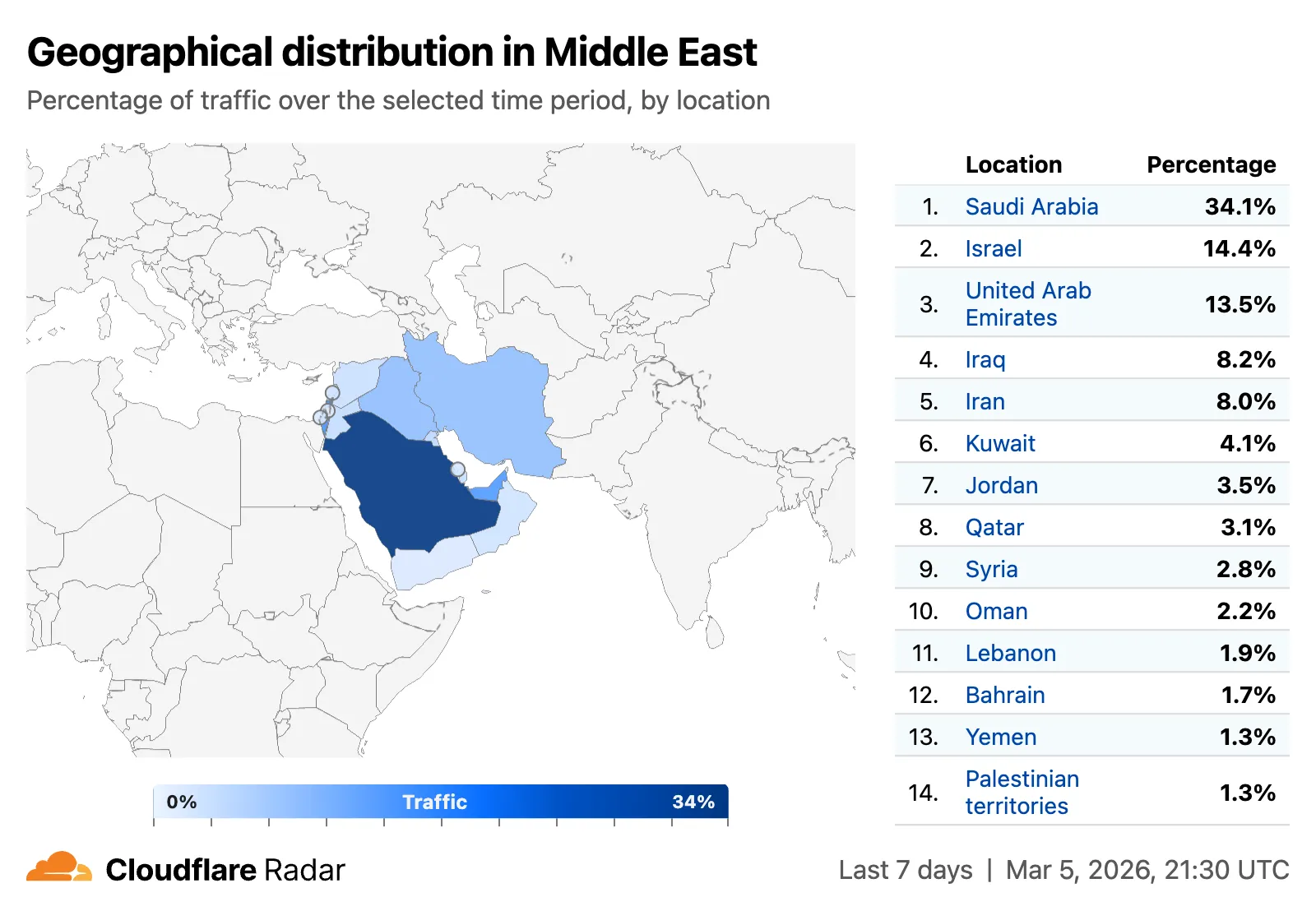
    All location-aware pages now support filtering by region, including continents, geographic subregions (Middle East, Eastern Asia, etc.), political regions (EU, African Union), and US Census regions/divisions (for example, New England, US Northeast).

    Screenshot of region filtering on Radar - Middle east

    Traffic volume by top autonomous systems and locations

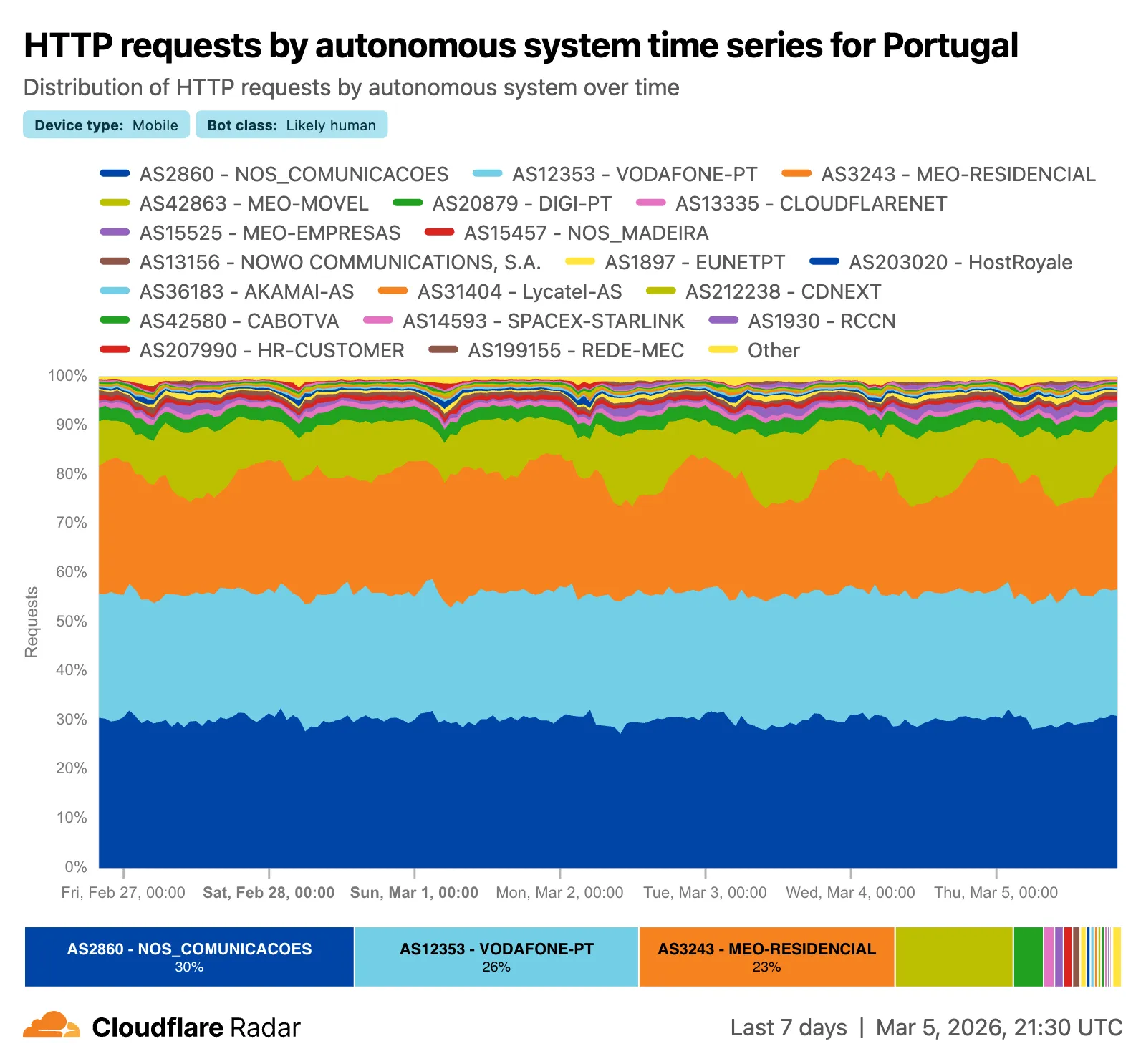
    A new traffic volume view shows the top autonomous systems and countries/territories for a given location. This is useful for quickly determining which network providers in a location may be experiencing connectivity issues, or how traffic is distributed across a region.

    Screenshot of traffic volume by top autonomous systems in US

    The new AS and location dimensions have also been added to the Data Explorer for the HTTP, DNS, and NetFlows datasets. Combined with other available filters, this provides a powerful tool for generating unique insights.

    Screenshot of AS and location dimensions in Data Explorer

    Finally, breadcrumb navigation is now available on most pages, allowing easier navigation between parent and related pages.

    Check out these features on Cloudflare Radar.

  • Radar – Region Filtering, AS Traffic Volume, and Navigation Improvements on Cloudflare Radar

    Radar ships several new features that improve the flexibility and usability of the platform, as well as visibility into what is happening on the Internet.

    Region filtering

    All location-aware pages now support filtering by region, including continents, geographic subregions (Middle East, Eastern Asia, etc.), political regions (EU, African Union), and US Census regions/divisions (for example, New England, US Northeast).

    Screenshot of region filtering on Radar - Middle east

    Traffic volume by top autonomous systems and locations

    A new traffic volume view shows the top autonomous systems and countries/territories for a given location. This is useful for quickly determining which network providers in a location may be experiencing connectivity issues, or how traffic is distributed across a region.

    Screenshot of traffic volume by top autonomous systems in US

    The new AS and location dimensions have also been added to the Data Explorer for the HTTP, DNS, and NetFlows datasets. Combined with other available filters, this provides a powerful tool for generating unique insights.

    Screenshot of AS and location dimensions in Data Explorer

    Finally, breadcrumb navigation is now available on most pages, allowing easier navigation between parent and related pages.

    Check out these features on Cloudflare Radar.

  • Radar – Region Filtering, AS Traffic Volume, and Navigation Improvements on Cloudflare Radar

    Radar ships several new features that improve the flexibility and usability of the platform, as well as visibility into what is happening on the Internet.

    Region filtering

    All location-aware pages now support filtering by region, including continents, geographic subregions (Middle East, Eastern Asia, etc.), political regions (EU, African Union), and US Census regions/divisions (for example, New England, US Northeast).

    Screenshot of region filtering on Radar - Middle east

    Traffic volume by top autonomous systems and locations

    A new traffic volume view shows the top autonomous systems and countries/territories for a given location. This is useful for quickly determining which network providers in a location may be experiencing connectivity issues, or how traffic is distributed across a region.

    Screenshot of traffic volume by top autonomous systems in US

    The new AS and location dimensions have also been added to the Data Explorer for the HTTP, DNS, and NetFlows datasets. Combined with other available filters, this provides a powerful tool for generating unique insights.

    Screenshot of AS and location dimensions in Data Explorer

    Finally, breadcrumb navigation is now available on most pages, allowing easier navigation between parent and related pages.

    Check out these features on Cloudflare Radar.

  • Radar – Region Filtering, AS Traffic Volume, and Navigation Improvements on Cloudflare Radar

    Radar ships several new features that improve the flexibility and usability of the platform, as well as visibility into what is happening on the Internet.

    Region filtering

    All location-aware pages now support filtering by region, including continents, geographic subregions (Middle East, Eastern Asia, etc.), political regions (EU, African Union), and US Census regions/divisions (for example, New England, US Northeast).

    Screenshot of region filtering on Radar - Middle east

    Traffic volume by top autonomous systems and locations

    A new traffic volume view shows the top autonomous systems and countries/territories for a given location. This is useful for quickly determining which network providers in a location may be experiencing connectivity issues, or how traffic is distributed across a region.

    Screenshot of traffic volume by top autonomous systems in US

    The new AS and location dimensions have also been added to the Data Explorer for the HTTP, DNS, and NetFlows datasets. Combined with other available filters, this provides a powerful tool for generating unique insights.

    Screenshot of AS and location dimensions in Data Explorer

    Finally, breadcrumb navigation is now available on most pages, allowing easier navigation between parent and related pages.

    Check out these features on Cloudflare Radar.

  • Browser Rendering – Browser Rendering: 3x higher REST API request rate

    Browser Rendering REST API rate limits for Workers Paid plans have been increased from 3 requests per second (180/min) to 10 requests per second (600/min). No action is needed to benefit from the higher limit.

    Browser Rendering REST API rate limit increased from 3 to 10 requests per second

    The REST API lets you perform common browser tasks with a single API call, and you can now do it at a higher rate.

    If you use the Workers Bindings method, increases to concurrent browser and new browser limits are coming soon. Stay tuned.

    For full details, refer to the Browser Rendering limits page.