Blog

  • Audit Logs – Audit logs (version 2) – General Availability

    Audit Logs v2 is now generally available to all Cloudflare customers.

    Audit Logs v2 GA

    Audit Logs v2 provides a unified and standardized system for tracking and recording all user and system actions across Cloudflare products. Built on Cloudflare’s API Shield / OpenAPI gateway, logs are generated automatically without requiring manual instrumentation from individual product teams, ensuring consistency across ~95% of Cloudflare products.

    What’s available at GA:

    • Standardized logging — Audit logs follow a consistent format across all Cloudflare products, making it easier to search, filter, and investigate activity.
    • Expanded product coverage — ~95% of Cloudflare products covered, up from ~75% in v1.
    • Granular filtering — Filter by actor, action type, action result, resource, raw HTTP method, zone, and more. Over 20 filter parameters available via the API.
    • Enhanced context — Each log entry includes authentication method, interface (API or dashboard), Cloudflare Ray ID, and actor token details.
    • 18-month retention — Logs are retained for 18 months. Full history is accessible via the API or Logpush.

    Access:

    • Dashboard: Go to Manage Account > Audit Logs. Audit Logs v2 is shown by default.
    • API: GET https://api.cloudflare.com/client/v4/accounts/{account_id}/logs/audit
    • Logpush: Available via the audit_logs_v2 account-scoped dataset.

    Important notes:

    • Approximately 30 days of logs from the Beta period (back to ~February 8, 2026) are available at GA. These Beta logs will expire on ~April 9, 2026. Logs generated after GA will be retained for the full 18 months. Older logs remain available in Audit Logs v1.
    • The UI query window is limited to 90 days for performance reasons. Use the API or Logpush for access to the full 18-month history.
    • GET requests (view actions) and 4xx error responses are not logged at GA. GET logging will be selectively re-enabled for sensitive read operations in a future release.
    • Audit Logs v1 continues to run in parallel. A deprecation timeline will be communicated separately.
    • Before and after values — the ability to see what a value changed from and to — is a highly requested feature and is on our roadmap for a post-GA release. In the meantime, we recommend using Audit Logs v1 for before and after values. Audit Logs v1 will continue to run in parallel until this feature is available in v2.

    For more details, refer to the Audit Logs v2 documentation.
  • Workflows, Workers – Workflow steps now expose retry attempt number via step context

    Cloudflare Workflows allows you to configure specific retry logic for each step in your workflow execution. Now, you can access which retry attempt is currently executing for calls to step.do():

    await step.do("my-step", async (ctx) => {
    // ctx.attempt is 1 on first try, 2 on first retry, etc.
    console.log(`Attempt ${ctx.attempt}`);
    });

    You can use the step context for improved logging & observability, progressive backoff, or conditional logic in your workflow definition.

    Note that the current attempt number is 1-indexed. For more information on retry behavior, refer to Sleeping and Retrying.

  • Radar – Region Filtering, AS Traffic Volume, and Navigation Improvements on Cloudflare Radar

    Radar ships several new features that improve the flexibility and usability of the platform, as well as visibility into what is happening on the Internet.

    Region filtering

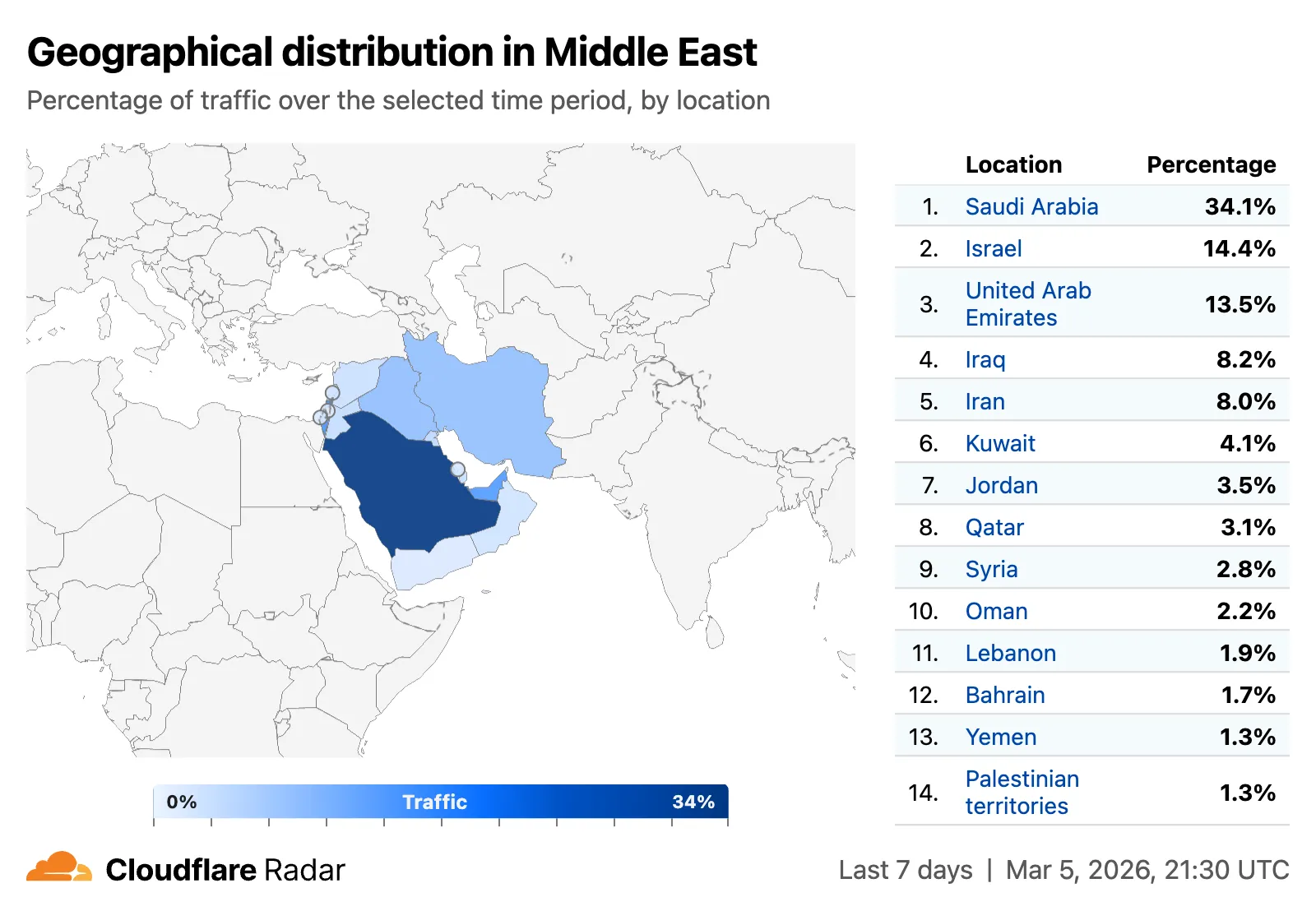
    All location-aware pages now support filtering by region, including continents, geographic subregions (Middle East, Eastern Asia, etc.), political regions (EU, African Union), and US Census regions/divisions (for example, New England, US Northeast).

    Screenshot of region filtering on Radar - Middle east

    Traffic volume by top autonomous systems and locations

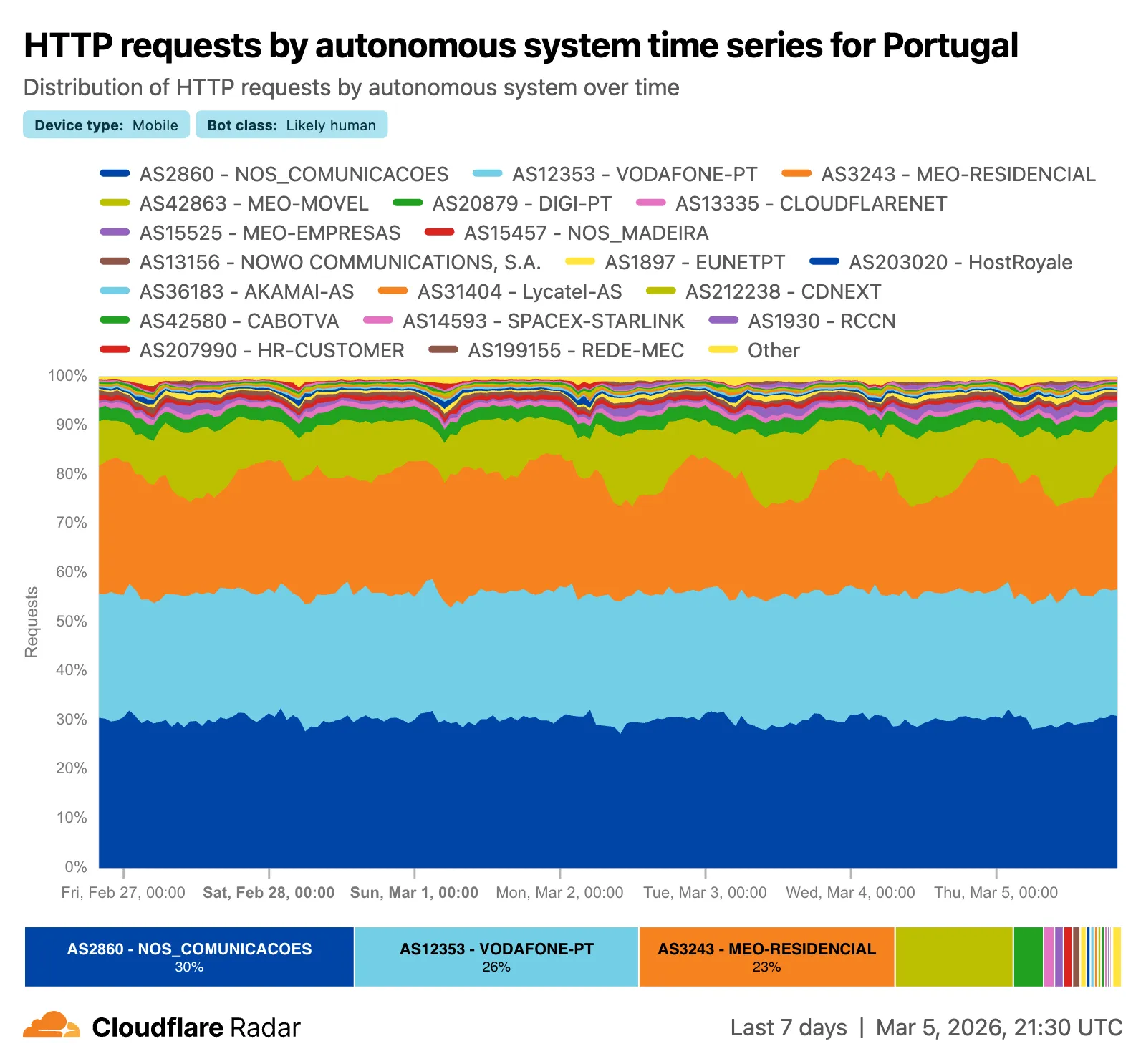
    A new traffic volume view shows the top autonomous systems and countries/territories for a given location. This is useful for quickly determining which network providers in a location may be experiencing connectivity issues, or how traffic is distributed across a region.

    Screenshot of traffic volume by top autonomous systems in US

    The new AS and location dimensions have also been added to the Data Explorer for the HTTP, DNS, and NetFlows datasets. Combined with other available filters, this provides a powerful tool for generating unique insights.

    Screenshot of AS and location dimensions in Data Explorer

    Finally, breadcrumb navigation is now available on most pages, allowing easier navigation between parent and related pages.

    Check out these features on Cloudflare Radar.

  • Radar – Region Filtering, AS Traffic Volume, and Navigation Improvements on Cloudflare Radar

    Radar ships several new features that improve the flexibility and usability of the platform, as well as visibility into what is happening on the Internet.

    Region filtering

    All location-aware pages now support filtering by region, including continents, geographic subregions (Middle East, Eastern Asia, etc.), political regions (EU, African Union), and US Census regions/divisions (for example, New England, US Northeast).

    Screenshot of region filtering on Radar - Middle east

    Traffic volume by top autonomous systems and locations

    A new traffic volume view shows the top autonomous systems and countries/territories for a given location. This is useful for quickly determining which network providers in a location may be experiencing connectivity issues, or how traffic is distributed across a region.

    Screenshot of traffic volume by top autonomous systems in US

    The new AS and location dimensions have also been added to the Data Explorer for the HTTP, DNS, and NetFlows datasets. Combined with other available filters, this provides a powerful tool for generating unique insights.

    Screenshot of AS and location dimensions in Data Explorer

    Finally, breadcrumb navigation is now available on most pages, allowing easier navigation between parent and related pages.

    Check out these features on Cloudflare Radar.

  • Radar – Region Filtering, AS Traffic Volume, and Navigation Improvements on Cloudflare Radar

    Radar ships several new features that improve the flexibility and usability of the platform, as well as visibility into what is happening on the Internet.

    Region filtering

    All location-aware pages now support filtering by region, including continents, geographic subregions (Middle East, Eastern Asia, etc.), political regions (EU, African Union), and US Census regions/divisions (for example, New England, US Northeast).

    Screenshot of region filtering on Radar - Middle east

    Traffic volume by top autonomous systems and locations

    A new traffic volume view shows the top autonomous systems and countries/territories for a given location. This is useful for quickly determining which network providers in a location may be experiencing connectivity issues, or how traffic is distributed across a region.

    Screenshot of traffic volume by top autonomous systems in US

    The new AS and location dimensions have also been added to the Data Explorer for the HTTP, DNS, and NetFlows datasets. Combined with other available filters, this provides a powerful tool for generating unique insights.

    Screenshot of AS and location dimensions in Data Explorer

    Finally, breadcrumb navigation is now available on most pages, allowing easier navigation between parent and related pages.

    Check out these features on Cloudflare Radar.

  • Radar – Region Filtering, AS Traffic Volume, and Navigation Improvements on Cloudflare Radar

    Radar ships several new features that improve the flexibility and usability of the platform, as well as visibility into what is happening on the Internet.

    Region filtering

    All location-aware pages now support filtering by region, including continents, geographic subregions (Middle East, Eastern Asia, etc.), political regions (EU, African Union), and US Census regions/divisions (for example, New England, US Northeast).

    Screenshot of region filtering on Radar - Middle east

    Traffic volume by top autonomous systems and locations

    A new traffic volume view shows the top autonomous systems and countries/territories for a given location. This is useful for quickly determining which network providers in a location may be experiencing connectivity issues, or how traffic is distributed across a region.

    Screenshot of traffic volume by top autonomous systems in US

    The new AS and location dimensions have also been added to the Data Explorer for the HTTP, DNS, and NetFlows datasets. Combined with other available filters, this provides a powerful tool for generating unique insights.

    Screenshot of AS and location dimensions in Data Explorer

    Finally, breadcrumb navigation is now available on most pages, allowing easier navigation between parent and related pages.

    Check out these features on Cloudflare Radar.

  • Browser Rendering – Browser Rendering: 3x higher REST API request rate

    Browser Rendering REST API rate limits for Workers Paid plans have been increased from 3 requests per second (180/min) to 10 requests per second (600/min). No action is needed to benefit from the higher limit.

    Browser Rendering REST API rate limit increased from 3 to 10 requests per second

    The REST API lets you perform common browser tasks with a single API call, and you can now do it at a higher rate.

    If you use the Workers Bindings method, increases to concurrent browser and new browser limits are coming soon. Stay tuned.

    For full details, refer to the Browser Rendering limits page.

  • Browser Rendering – Browser Rendering: 3x higher REST API request rate

    Browser Rendering REST API rate limits for Workers Paid plans have been increased from 3 requests per second (180/min) to 10 requests per second (600/min). No action is needed to benefit from the higher limit.

    Browser Rendering REST API rate limit increased from 3 to 10 requests per second

    The REST API lets you perform common browser tasks with a single API call, and you can now do it at a higher rate.

    If you use the Workers Bindings method, increases to concurrent browser and new browser limits are coming soon. Stay tuned.

    For full details, refer to the Browser Rendering limits page.

  • Gateway – Gateway Authorization Proxy and hosted PAC files (open beta)

    The Gateway Authorization Proxy and PAC file hosting are now in open beta for all plan types.

    Previously, proxy endpoints relied on static source IP addresses to authorize traffic, providing no user-level identity in logs or policies. The new authorization proxy replaces IP-based authorization with Cloudflare Access authentication, verifying who a user is before applying Gateway filtering without installing the WARP client.

    This is ideal for environments where you cannot deploy a device client, such as virtual desktops (VDI), mergers and acquisitions, or compliance-restricted endpoints.

    Key capabilities

    • Identity-aware proxy traffic — Users authenticate through your identity provider (Okta, Microsoft Entra ID, Google Workspace, and others) via Cloudflare Access. Logs now show exactly which user accessed which site, and you can write identity-based policies like “only the Finance team can access this accounting tool.”
    • Multiple identity providers — Display one or multiple login methods simultaneously, giving flexibility for organizations managing users across different identity systems.
    • Cloudflare-hosted PAC files — Create and host PAC files directly in Cloudflare One with pre-configured templates for Okta and Azure, hosted at https://pac.cloudflare-gateway.com/<account-id>/<slug> on Cloudflare’s global network.
    • Simplified billing — Each user occupies a seat, exactly like they do with the Cloudflare One Client. No new metrics to track.

    Get started

    1. In Cloudflare One, go to Networks > Resolvers & Proxies > Proxy endpoints.
    2. Create an authorization proxy endpoint and configure Access policies.
    3. Create a hosted PAC file or write your own.
    4. Configure browsers to use the PAC file URL.
    5. Install the Cloudflare certificate for HTTPS inspection.

    For more details, refer to the proxy endpoints documentation and the announcement blog post.

  • Cloudflare One, Access – User risk score selector in Access policies

    You can now use user risk scores in your Access policies. The new User Risk Score selector allows you to create Access policies that respond to user behavior patterns detected by Cloudflare’s risk scoring system, including impossible travel, high DLP policy matches, and more.

    For more information, refer to Use risk scores in Access policies.